A freeform canvas
Lists flatten ideas. On the canvas, each category becomes a card you can pan, zoom, drag and multi-select, so related ideas sit side by side.
Hover to preview
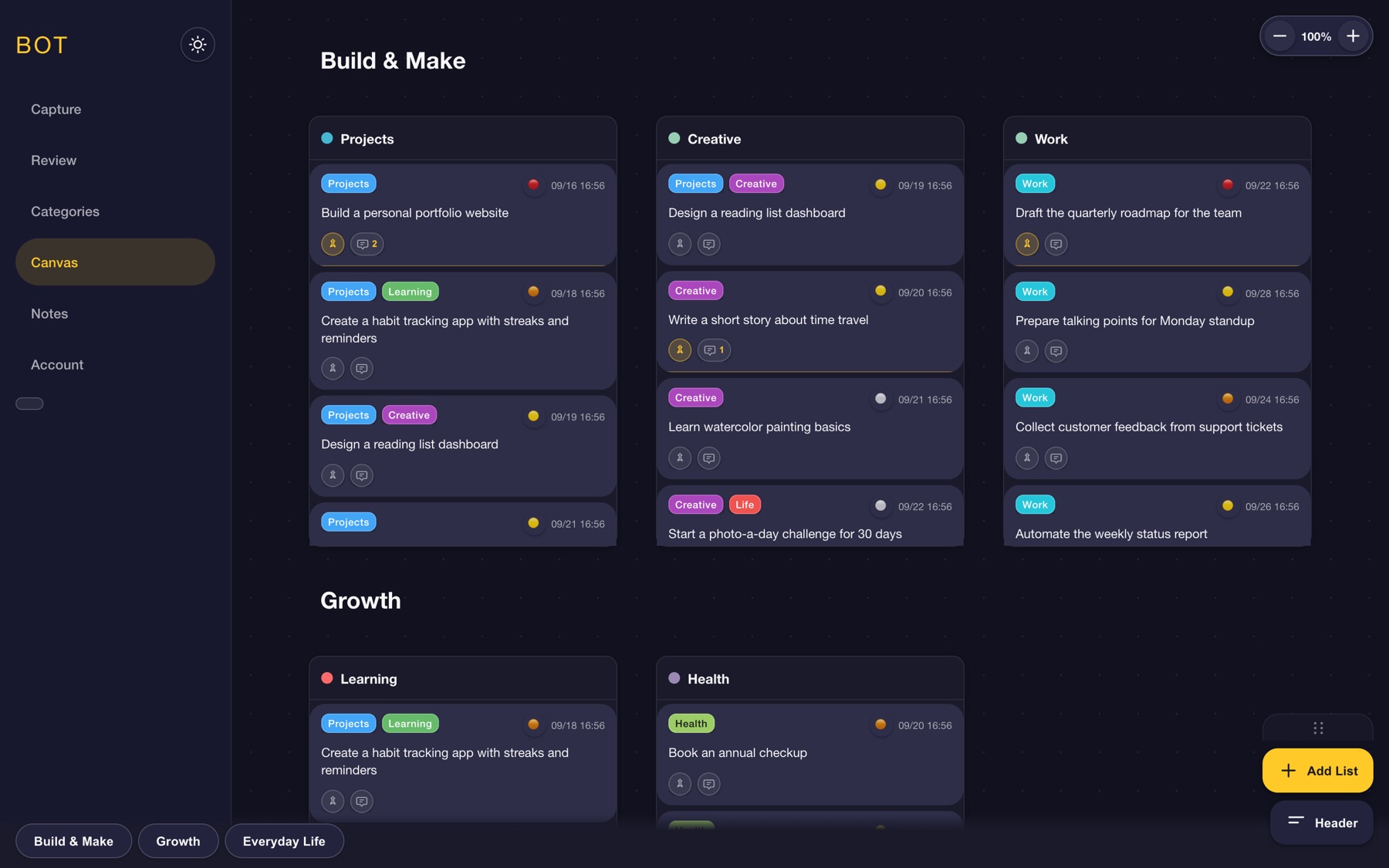
Canvas: category cards you can pan, zoom and drag
Problem
My ideas were scattered across notebooks and apps like Notes, Notion and Obsidian, so good ones got written down and then forgotten.
Solution
A mobile-first app to capture an idea instantly, sort it into categories and find it again. I designed it and built it with AI, from spec to Firebase backend.
Outcome
An MVP in two weeks, then two weeks of daily use that set the roadmap. It has since grown a canvas, notes and a dashboard, with a public demo anyone can try.
A mobile-first app for capturing ideas instantly, organizing them effortlessly, and finding them again when I’m ready to create.
Role
Designer and builder: UX, UI, front end and Firebase backend
Timeline
MVP in 2 weeks, in progress since Nov 2025
Tools
Figma, Claude Code, Codex, Antigravity IDE, Firebase
Ownership
I owned product decisions, specs, review and testing. AI drafted most first-pass code.
I’m constantly taking in the world around me and capturing inspiration in quick notes. Over time those notes scattered across notebooks and apps like Notes, Reminders, Journal, Notion and Obsidian.
The result: ideas got recorded, then faded into the background of my life, forgotten or buried somewhere I couldn’t remember.


Inspiration is spontaneous, so capturing it has to be instant.
Thoughts come and go like the wind. Capture has to happen in the moment.
Each app suits certain notes, but none suited how I think.
A scalable, intuitive system that keeps every entry sorted so every thought can be found.
Retrieval matters as much as capture.
Tools that let me tailor the app so revisiting ideas feels natural.
I took the shortest path to something I could use immediately, then let real use drive the roadmap.
1
My frustration with scattered ideas came first. Many apps exist for this, but I wanted one place to drop a thought and worry about it later. With AI tools maturing, I decided to build it myself. I know my own process better than any app.
2
Ideation was intentionally lean. What slows me down when capturing? What makes ideas hard to find later? If I stripped everything away, what is essential? The answers defined the MVP.
3
ChatGPT generated a first vanilla JS codebase, which I moved into VS Code with Codex, then hosted on Firebase with a backend that stores real data. It wasn’t pretty, but it was exactly what I needed.
4
I used it every day for two weeks. Friction became the roadmap. See the features below.
5
I kept shipping after the MVP: canvas, notes, demo mode and more. See the timeline.
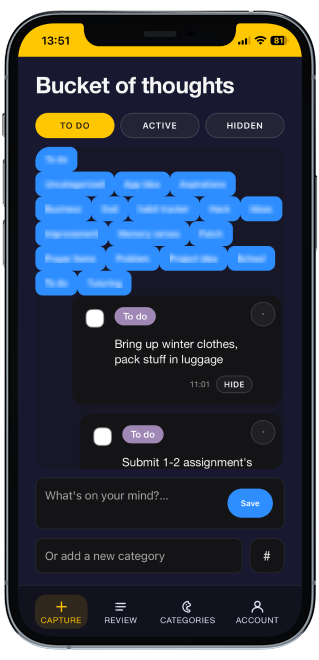
The primary interaction had to feel effortless.
Open the app, type the idea, assign a category, save. Review it later when you’re ready.
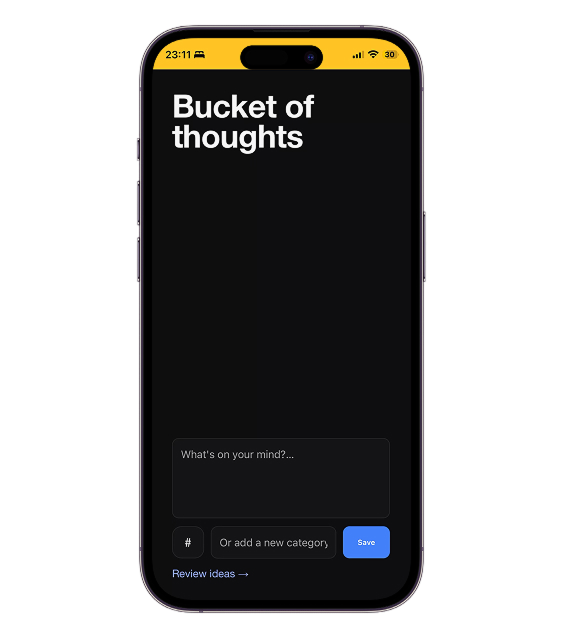
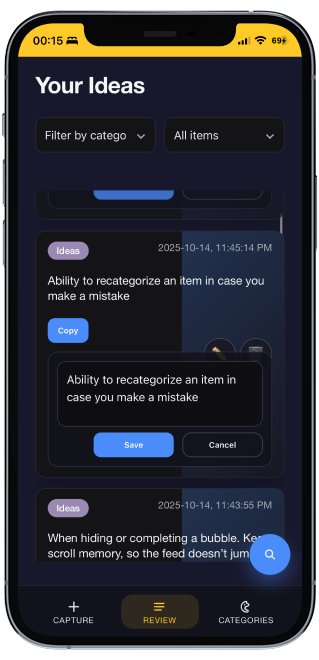
Screens are the earliest MVP render.
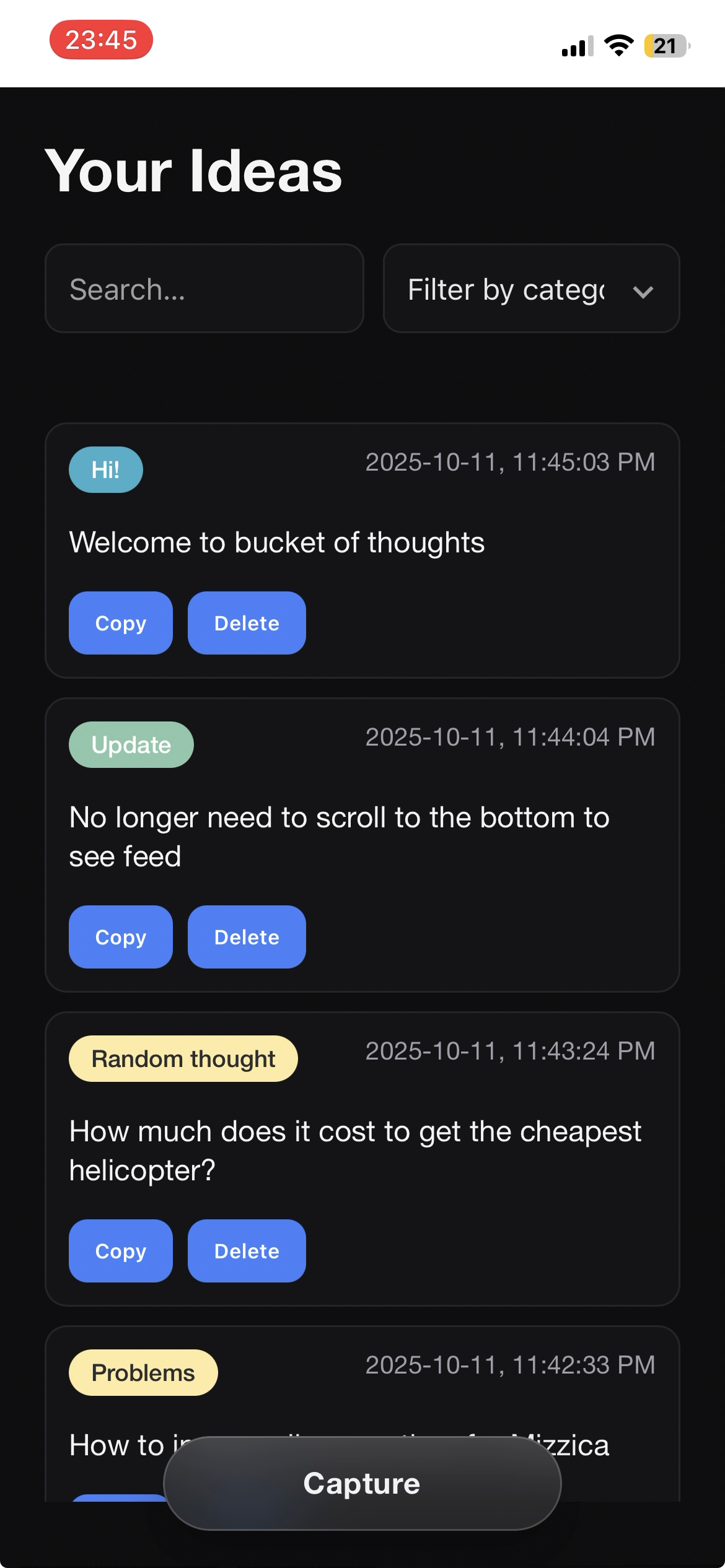
I logged every idea in the app for two weeks. Each moment of friction became an insight, and each “I wish I could…” became a candidate feature. Not every idea was good.
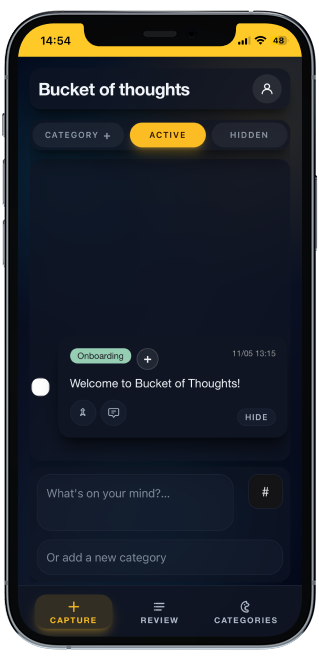
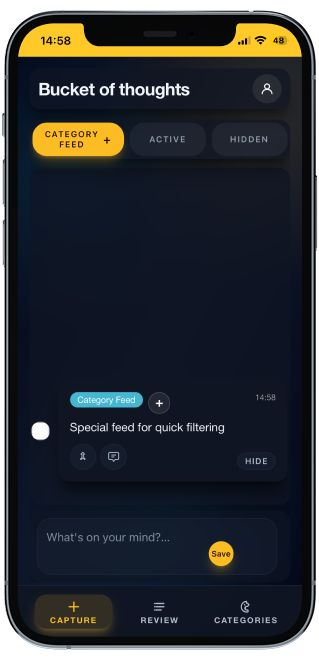
The main page only captured ideas and sent them to Review, which wasted valuable space. A chronological, chat-style feed lets me scan past entries and see my thoughts through the day.
For the MVP the chat feed worked really well, I could see my latest entries in chronological order, but as I continued to use the app and accumulating a large amount of entries, it became less usable. In the sense that I would eventually need a way to quickly filter the entries.
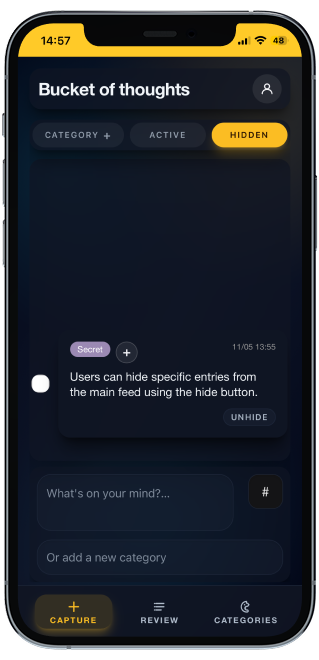
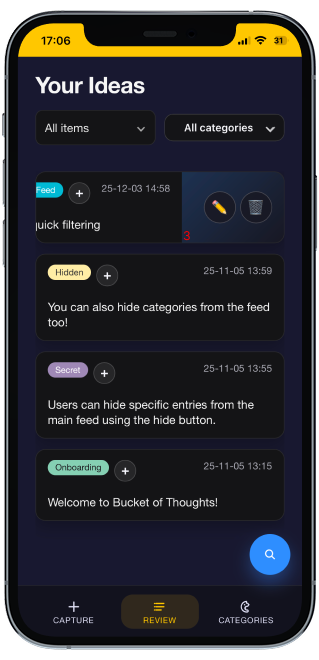
Filtering on Review every time was slow. A Category feed shows one project’s ideas. A Hidden feed keeps personal notes out of the main feed while staying findable in filters. The Category feed was an answer to the main field losing its effectiveness as the total entries grew.
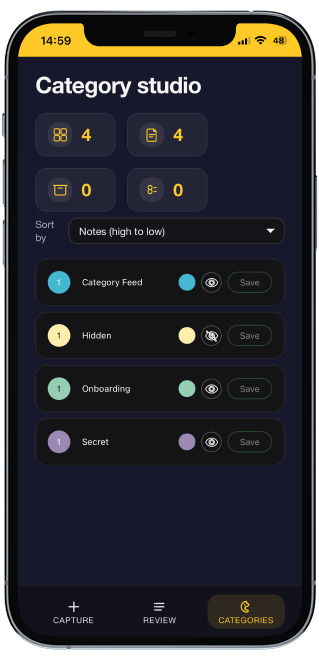
A page where I can rename and recolor categories and toggle visibility for each category. Hide a category and its ideas are hidden on the main feed but stay findable on Review or the Hidden feed.
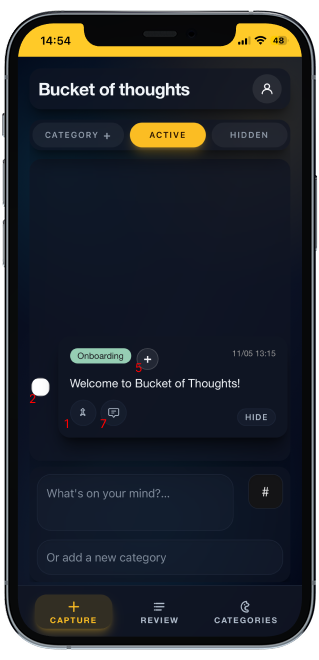
A pinned note, archive as a checklist, swipe to edit or delete, the active category applied automatically, and up to three categories per idea.
Lists flatten ideas. On the canvas, each category becomes a card you can pan, zoom, drag and multi-select, so related ideas sit side by side.
Hover to preview
Canvas: category cards you can pan, zoom and drag
An idea rarely stays one thought. Threads let me keep adding to it without creating a separate entry for every thought. For an app idea, that becomes a running list of small feature ideas, all attached to the original.
Hover to preview
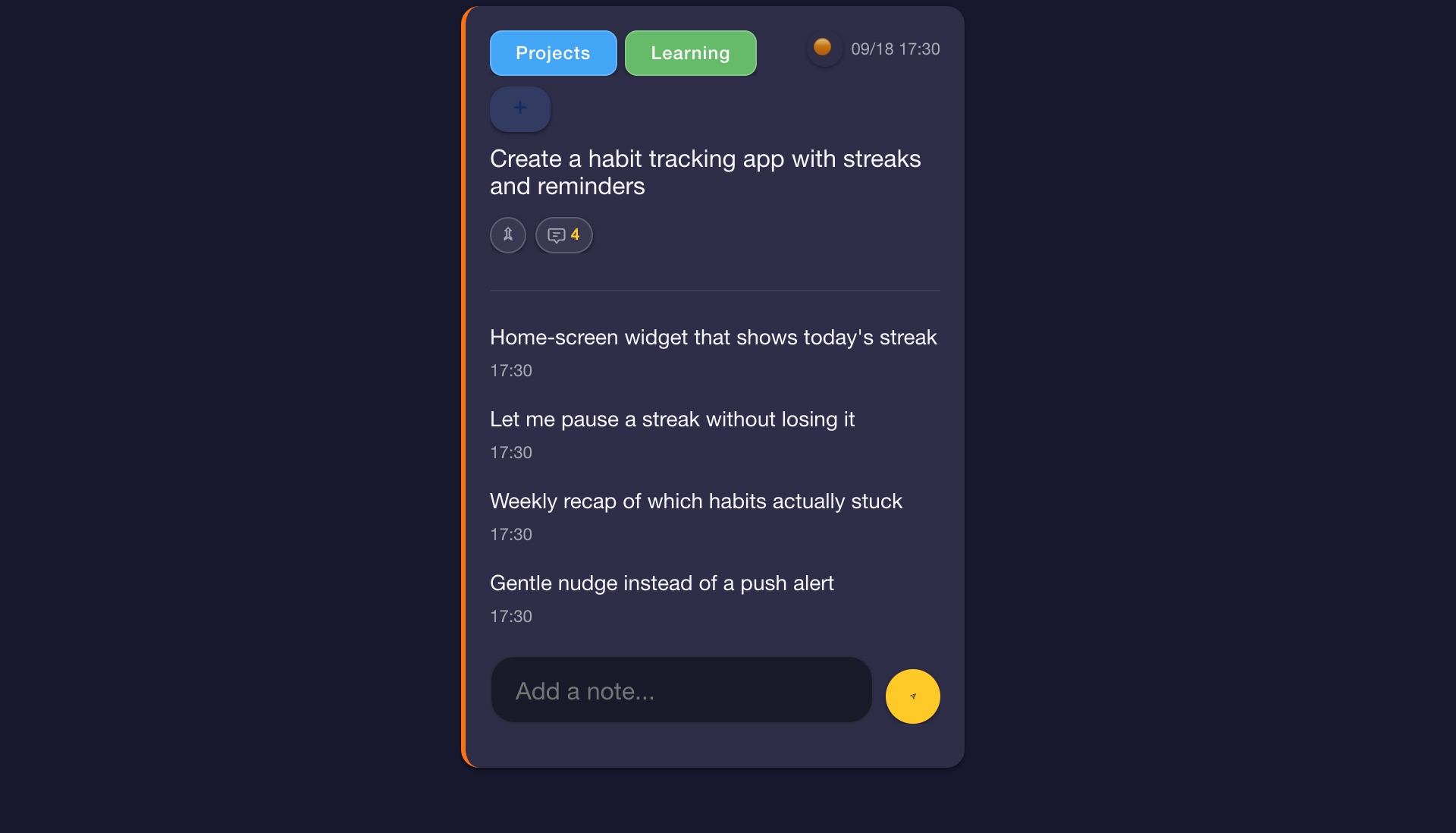
Threads: small feature ideas attached to one app idea
A quick thought and a page of notes are different jobs. Notes adds folders, search, autosave and checklists, so long-form writing doesn’t crowd the capture feed.
Hover to preview
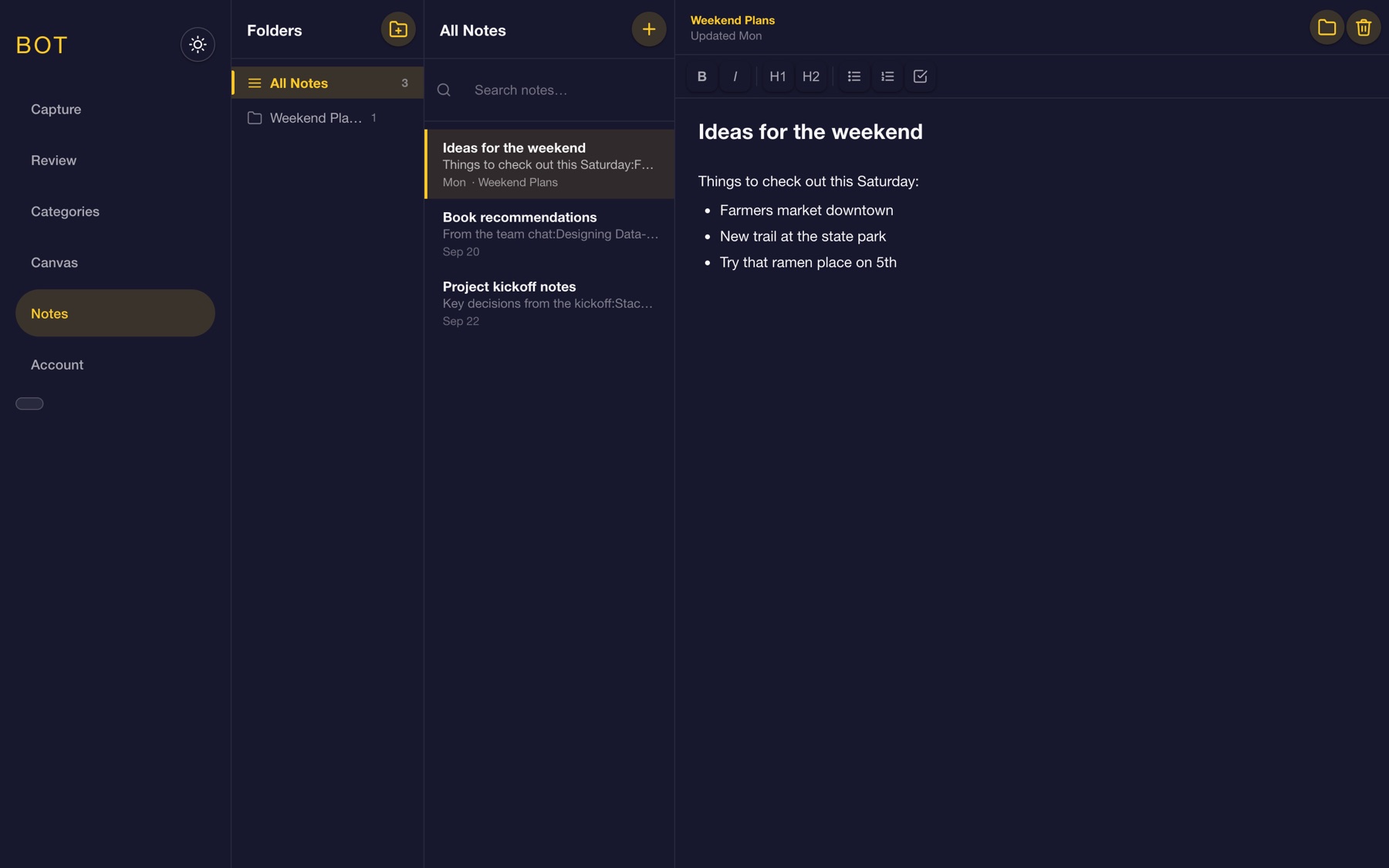
Notes: folders, search and a rich text editor
Capture is only half the loop. The dashboard pairs pinned ideas with a morning, afternoon and evening to-do list, so stored ideas turn into today’s plan.
Hover to preview
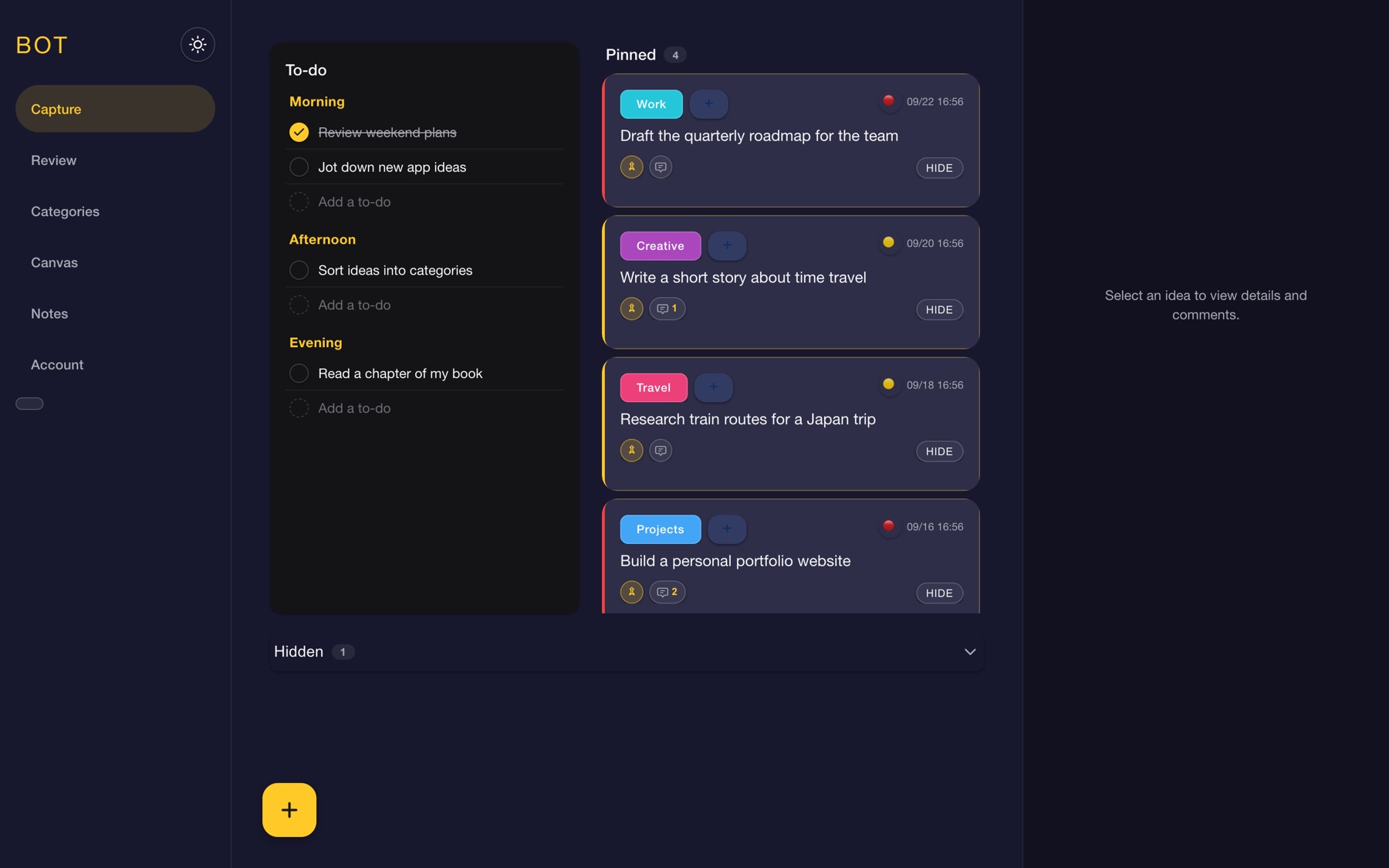
Dashboard: to-do list beside pinned ideas
The first two weeks produced the MVP. Coming back with fresh eyes and deeper AI-tooling experience, I kept shipping.
Nov 2025
MVP: capture, categories and review, hosted on Firebase
Jan 2026
Moved to a proper build system and restructured the codebase
Feb 2026
Canvas, light and dark themes from my Figma UI kit, canvas focus state, and the AI-agent API
Mar 2026
Notes workspace with folders and drag-and-drop, plus a storage refactor with automated tests
Apr 2026
Demo mode for portfolio visitors
Jul 2026
Dashboard with pinned ideas and a morning, afternoon and evening to-do list
Prompting well was only the start. I built a repeatable loop that kept AI output reviewable and the codebase healthy.
1
Every larger feature (notes, demo mode, storage refactor) started as a written spec with goals and scope.
2
Specs became task-by-task implementation plans, reviewed in multiple passes before any code.
3
Work landed in small commits, with review feedback folded back in and automated tests around the data layer.
4
A project instructions file and per-feature skill docs gave the AI consistent context across sessions.
This was my first full product built with AI. Every problem was a chance to learn what the AI did and why it failed.
Many steps, easy to get lost. Later I refactored storage into domain-scoped stores with a mutation queue and tests.
Broken dropdowns, elements overflowing off-screen, and unexpected AI decisions. I learned to describe layout constraints precisely or have a wireframe first.
During the build some unpredictable things happened which broke my entire development file and I wasn't able to get it running again, so I migrated to a new Firebase project. That pushed me to use GitHub branches for every feature.
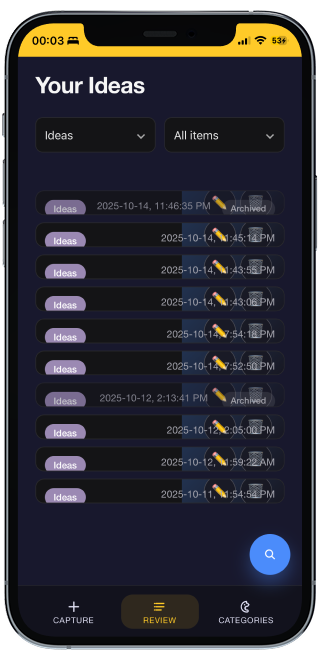
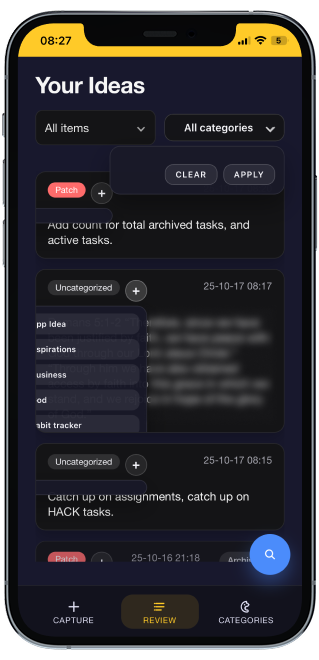
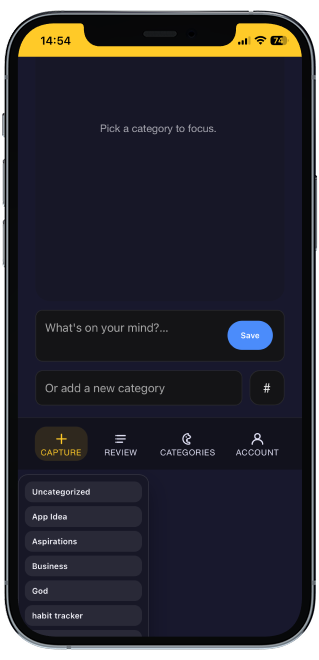
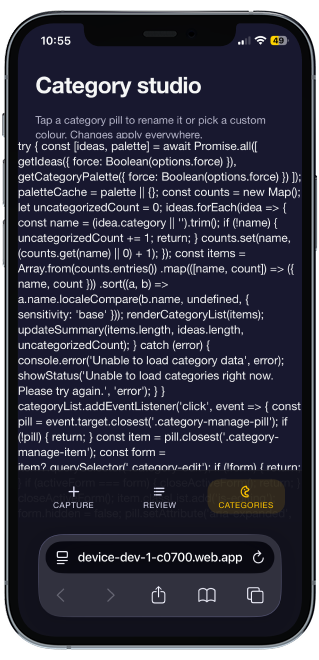
With today’s tools, designers aren’t limited to wireframes and prototypes. We can build, test and ship.
Product creation no longer starts with waiting on engineers. I could assemble a complete prototype with a custom stack and complex interactions, and hand developers a working baseline to review and improve.
The biggest lesson: being able to articulate what you want, and how it should behave, is the core skill. It’s the same skill that makes a good designer.
Explore the demo with sample content, no sign-in needed, or open the live app.